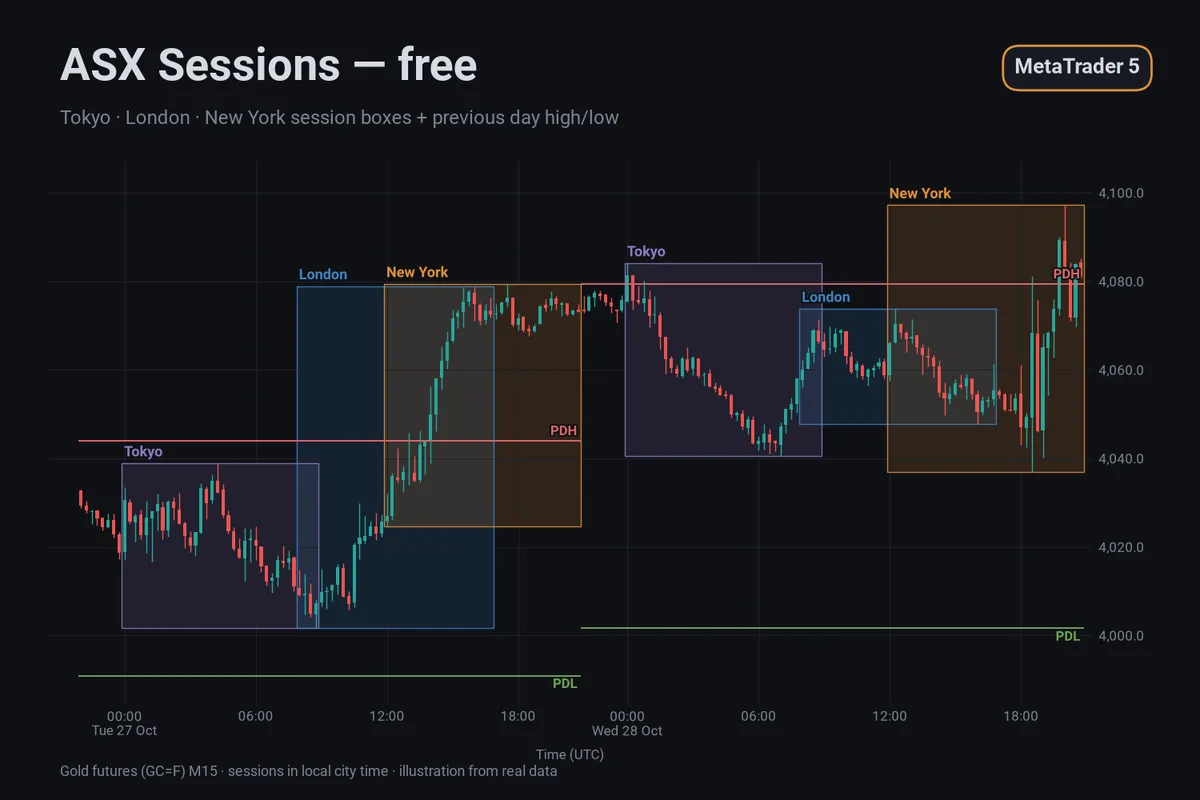
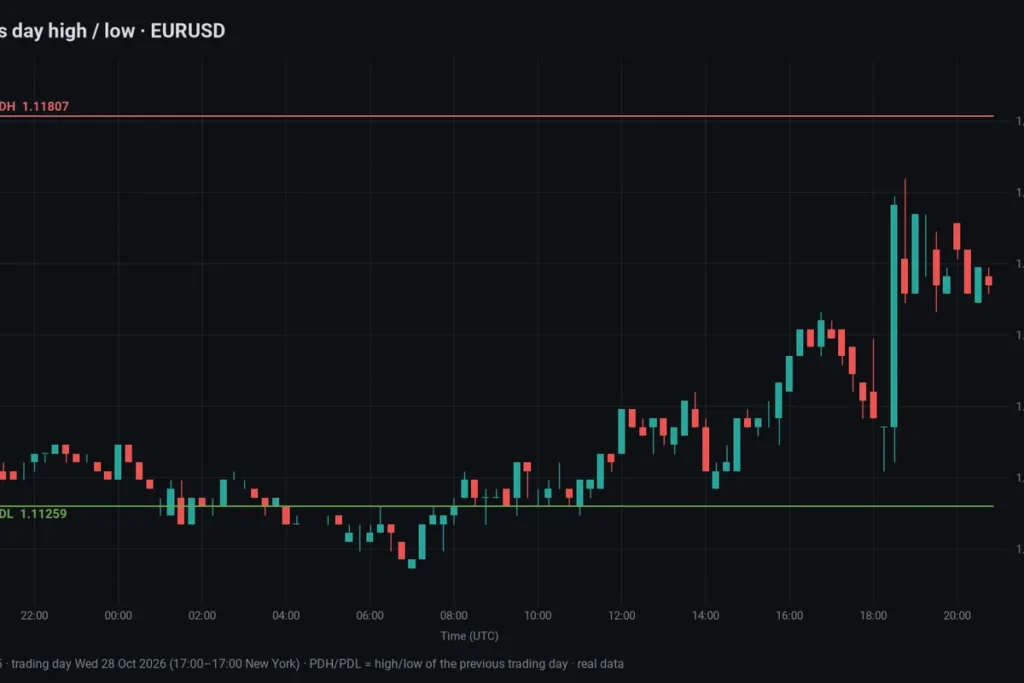
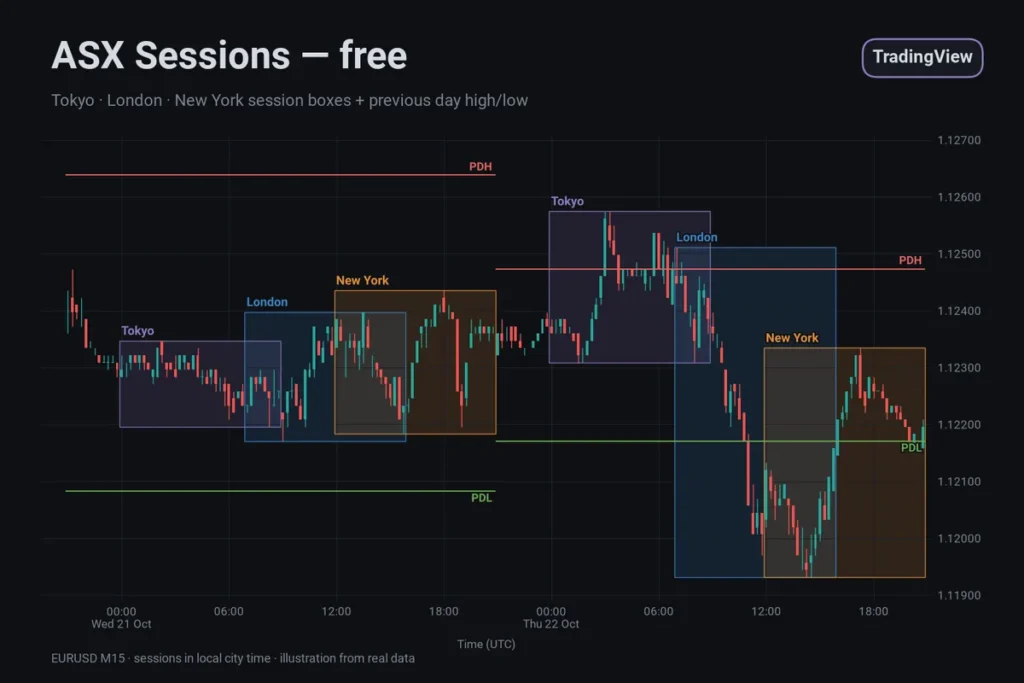
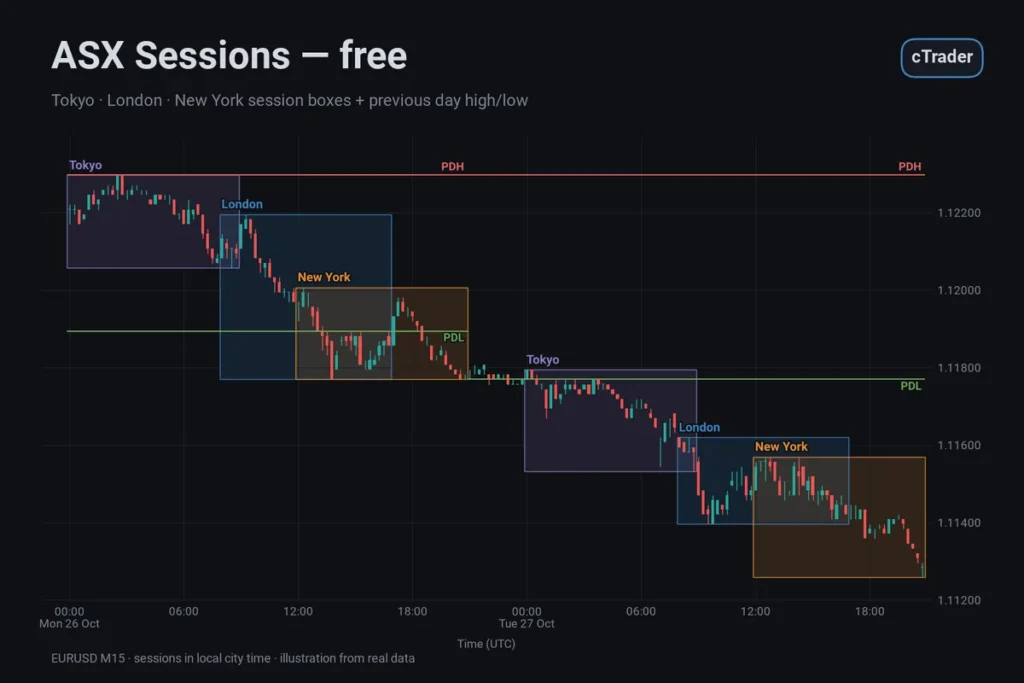
ASX Sessions is a free, open-source indicator for MetaTrader 5. It draws a box around the Tokyo, London and New York sessions and marks the previous day’s high and low. Session hours are set in each city’s local time; the indicator converts your broker’s server time to UTC and applies daylight saving for each bar’s date. It is a charting aid, no signals.
What it does
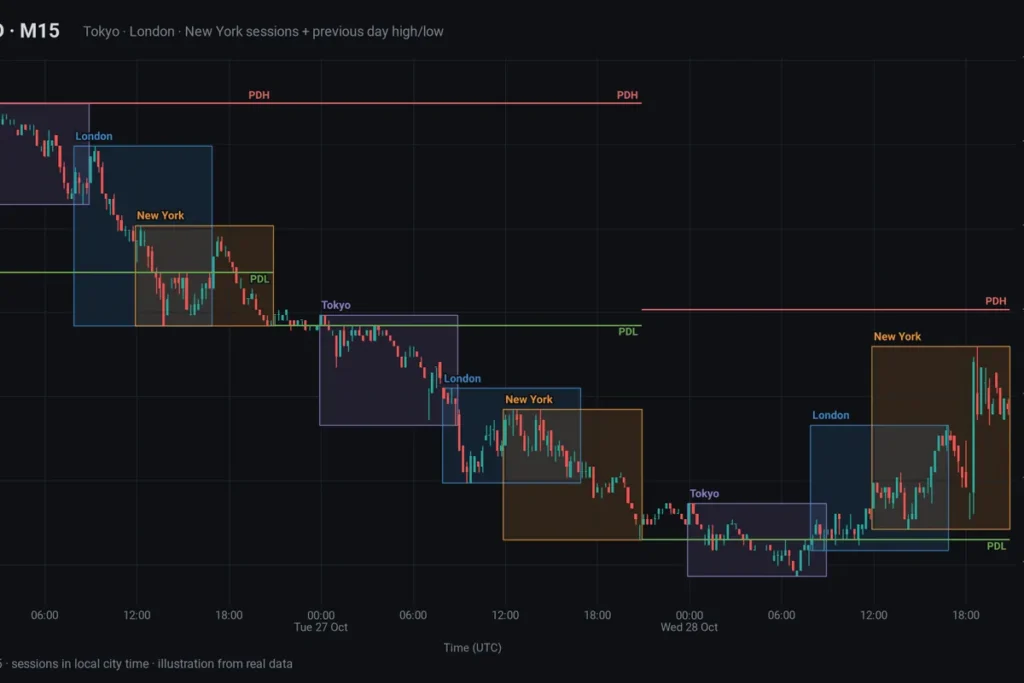
For each of the last few days, every enabled session gets a rectangle from its start to its end, spanning the highest high and lowest low traded in that window. While a session is running, the box ends at the current bar and grows with it. A small label at the top left names the session. Two lines labelled PDH and PDL show the high and low of the previous completed D1 candle across the trading day, so they do not repaint.
Key features
- Three sessions: Tokyo, London and New York, each with its own switch, start and end time.
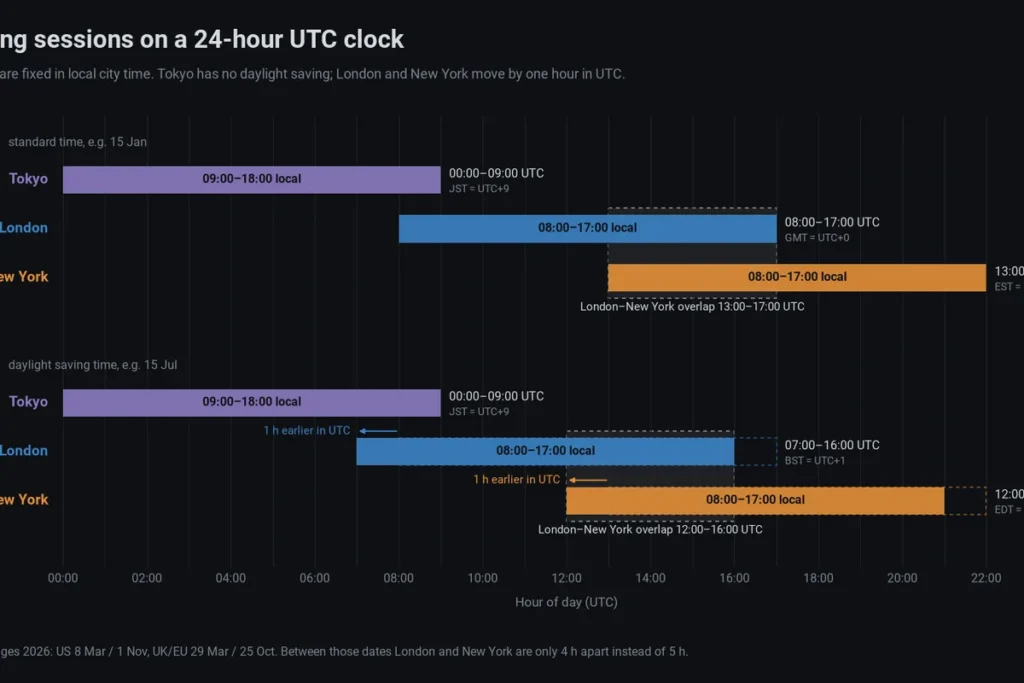
- Daylight saving built in: London follows the UK/EU dates, New York the US dates, Tokyo has none. The rules are applied to each bar’s date, so history and the gap weeks in March and October/November are drawn correctly.
- Server time handled: automatic or manual detection of your broker’s offset to UTC, plus a choice of how the server changes its clock during the year.
- Local city hours: start and end as HH:MM in the city’s own time. An end time at or before the start time means the session crosses midnight.
- Previous day high/low: from the symbol’s D1 candles, which follow the broker’s server day.
- Light on the chart: only the last Days days are drawn; session boxes are hidden above H1 by default.
- Clean removal: all objects share the prefix ASXS_ and are deleted when you remove the indicator.
Settings and defaults
- Days: 5 (1–30)
- Show Tokyo / Show London / Show New York: on
- Tokyo Start / Tokyo End: 09:00 / 18:00, Tokyo time
- London Start / London End: 08:00 / 17:00, London time
- New York Start / New York End: 08:00 / 17:00, New York time
- Hide Sessions Above H1: on
- Show Midline: off; Box Opacity: 15 %
- Show Previous Day High/Low: on
- Colours: Tokyo violet (#8E7CC3), London blue (#3D85C6), New York orange (#E69138), PDH red (#E06666), PDL green (#6AA84F)
- ServerOffsetMode: Auto; or Manual
- ServerBaseOffset: 2 hours (used in Manual mode)
- ServerDstRule: US; or EU, None
Server time and daylight saving. MetaTrader 5 stamps every bar with the broker’s server time, and each broker picks its own clock. To place a session correctly, ASX Sessions works out UTC as server time − offset, where the offset is a base offset plus one hour whenever daylight saving is active under the rule you choose.
- ServerOffsetMode = Auto reads the current difference between the server clock and GMT, rounds it to whole hours and removes the daylight saving hour if the chosen rule says it is active today. The result is the base offset. GMT here comes from your computer’s clock, so your PC’s time and time zone must be set correctly.
- ServerOffsetMode = Manual uses ServerBaseOffset as the base offset, the server’s offset to UTC outside daylight saving time. Use it if Auto gives a wrong result, and in the Strategy Tester, where MT5 reports GMT as equal to the simulated server time and Auto cannot work.
- ServerDstRule = US fits a common broker setup: UTC+2 in winter and UTC+3 in summer, switching on the US dates. EU switches on the UK/EU dates. None is for servers that never change their clock.
Example for a server on UTC+2/UTC+3 with the US rule: New York 08:00–17:00 always shows as 15:00–00:00 server time, and London 08:00–17:00 as 10:00–19:00, except in the gap weeks when it shows as 11:00–20:00. Tokyo appears at 02:00–11:00 in winter and 03:00–12:00 in summer. On such a server, server midnight is 17:00 New York time, so the D1 candle and therefore PDH and PDL follow the New York 17:00 day. To check your broker, compare the server time in the Market Watch title bar with UTC.
How to use it
- Add it to an intraday chart, M5 to H1, and check the first box against a session you know, for example London opening at 08:00 UK time. If it is an hour off, review ServerOffsetMode and ServerDstRule.
- Compare ranges: the Tokyo box against London’s, today’s boxes against the last few days, the current price against PDH and PDL.
- If you define sessions differently, change Start and End. Daylight saving is still applied to your hours.
- UTC session times for winter, summer and the gap weeks are in our guide to forex trading sessions and daylight saving.
Limitations
- Correct placement depends on the server offset and DST rule. A broker with an unusual clock needs Manual mode.
- Session hours are conventions; the boxes mark clock windows, not when liquidity actually arrives.
- The box of a running session keeps changing until the session ends.
- PDH and PDL follow the broker’s D1 candle. If the server forms a short Sunday candle, Monday’s “previous day” is that short candle.
- The indicator works with clock times only. It has no holiday calendar.
- It describes where price has traded. It does not predict where price will go.
Platform & install
- Platform: MetaTrader 5 desktop terminal
- Type: custom indicator, main chart window
- Price: free and open source, no license key
- The download is a ZIP with AsxSessions.ex5 (compiled, ready to use) and AsxSessions.mq5 (the source code).
- In MT5, choose File › Open Data Folder and copy AsxSessions.ex5 into MQL5Indicators. Refresh the Navigator and drag ASX Sessions onto a chart.
- Prefer to build it yourself? Copy AsxSessions.mq5 into the same folder and compile it in MetaEditor.
Important notes
ASX Sessions is an analysis tool and does not place trades. Session boxes and previous-day levels show where the market has been; they are not buy or sell signals. Trading leveraged products can lose you money quickly, so test any idea on a demo account first and use your own risk management.