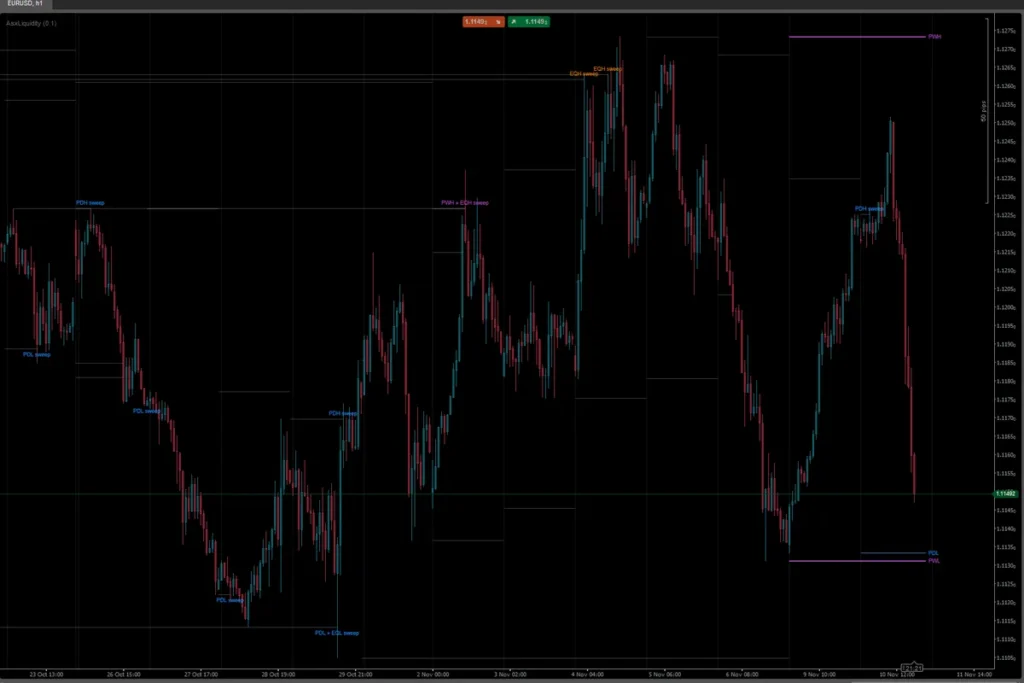
Also available for other platforms: ASX FVG for MetaTrader 5 · ASX FVG for TradingView. Same gap rules and the same defaults, free on every platform.
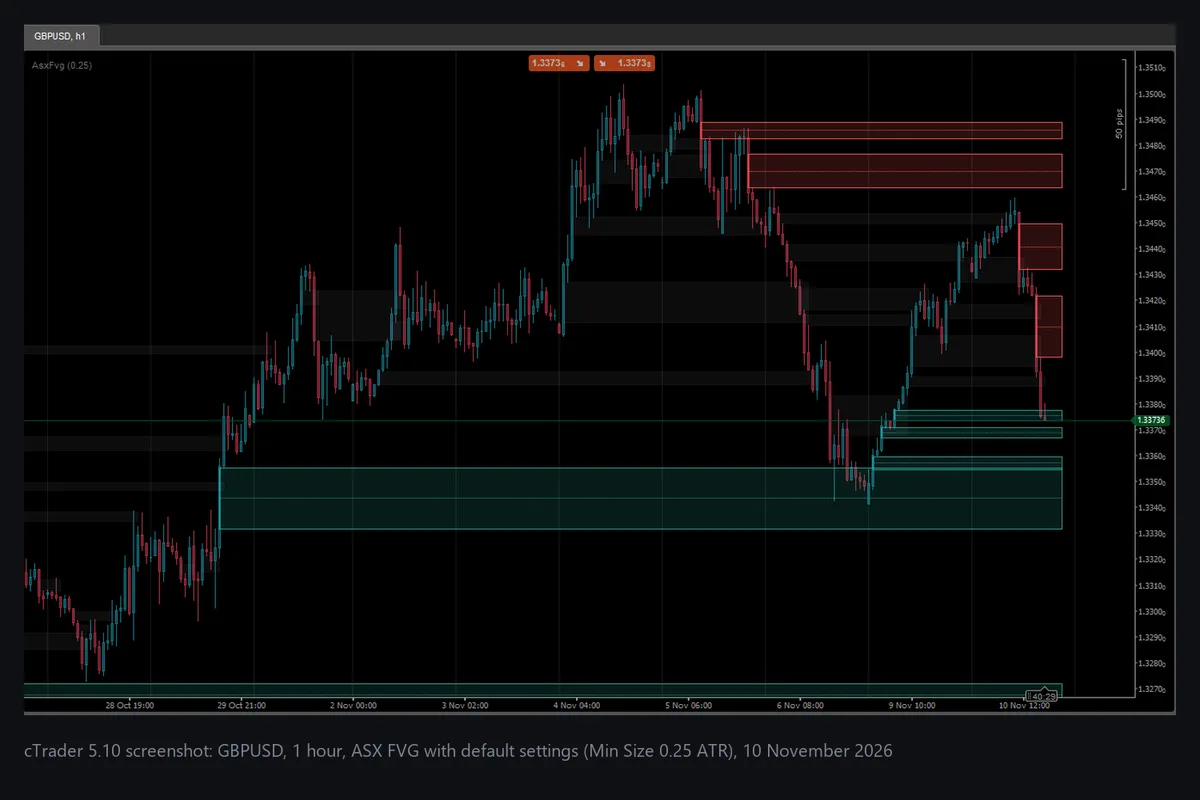
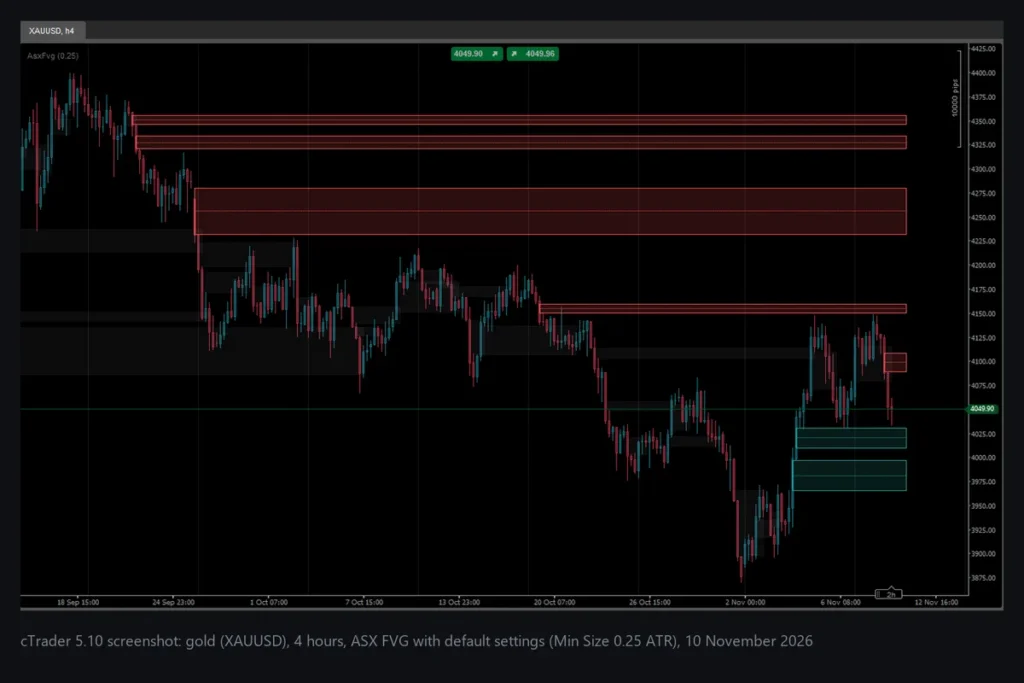
ASX FVG is a free, open-source overlay indicator for cTrader that draws fair value gaps: the price gaps a fast three-candle move leaves behind. It shows bullish and bearish gaps as boxes, skips gaps that are too small compared with the current ATR, turns a gap grey once price has traded back through all of it, and can add the gaps of a higher timeframe. It only reads closed candles, so a gap never appears and then disappears again. It is a charting aid, not a signal service.
What it does
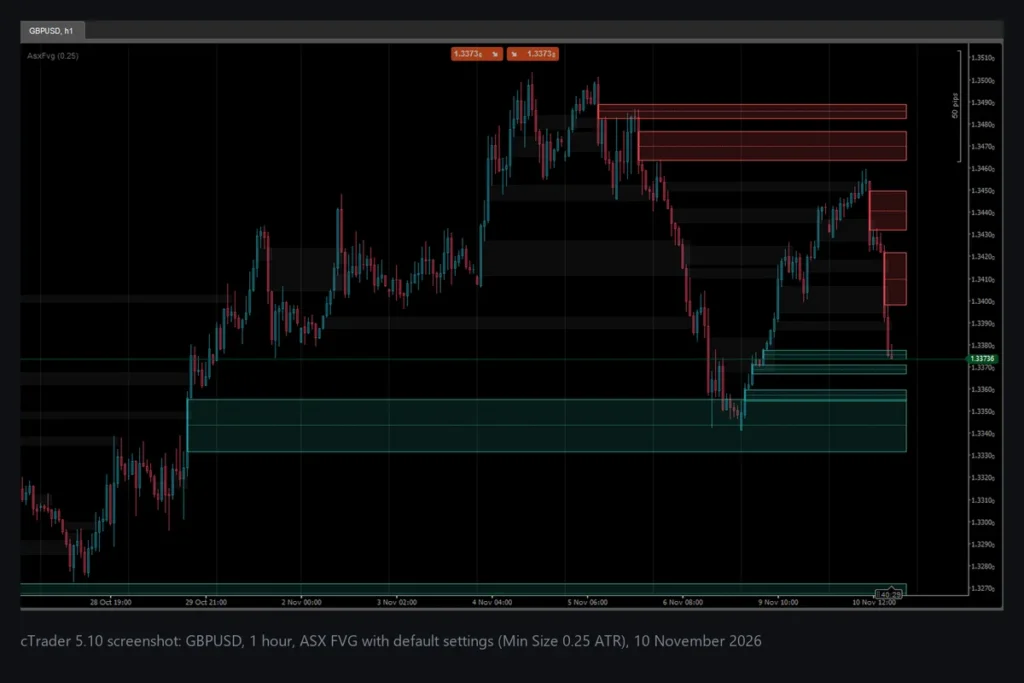
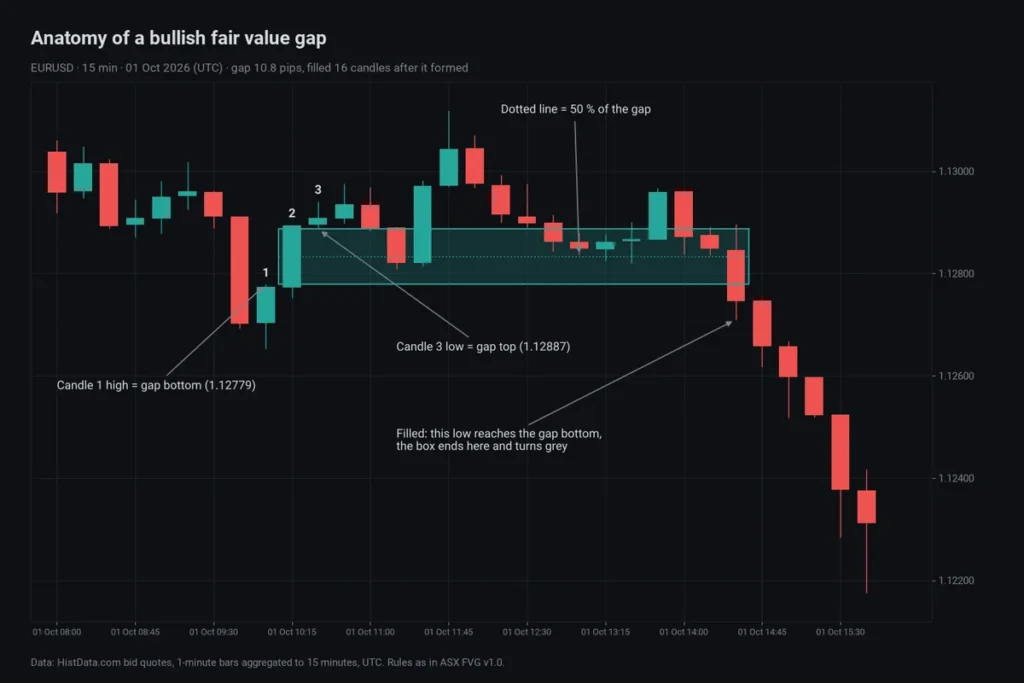
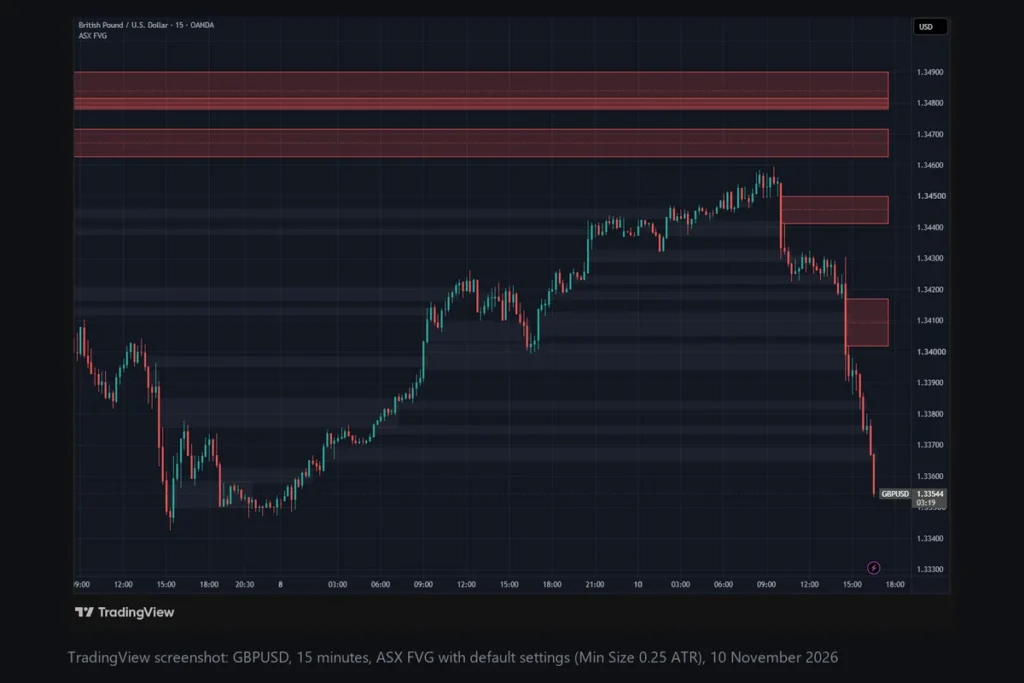
For every closed candle, ASX FVG compares it with the candle two bars earlier. If the newer candle’s low is above the older candle’s high, the space between them is a bullish gap. If the newer candle’s high is below the older candle’s low, it is a bearish gap. The box starts at the middle candle and reaches a few bars past the current one while the gap is open. A dotted midline marks the 50 % level. When a later candle trades through the whole gap (a low at or below the bottom of a bullish gap, a high at or above the top of a bearish gap), the box ends at that candle and turns grey.
Key features
- Bullish and bearish gaps in teal and red, with a thin border and a dotted 50 % midline.
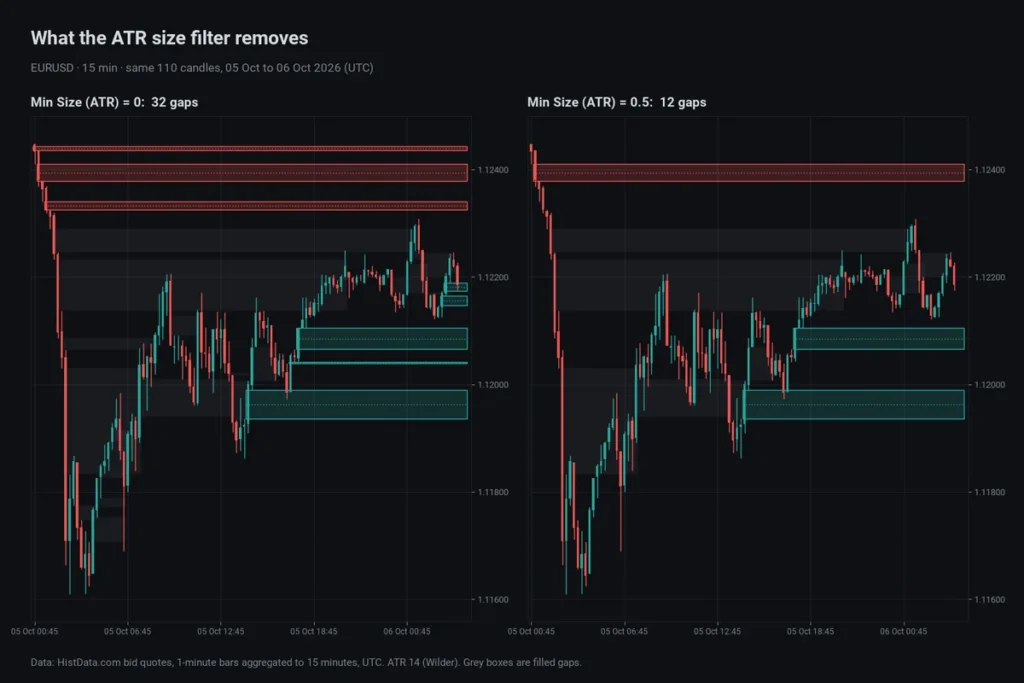
- ATR size filter: gaps smaller than Min Size (ATR) times the 14-period ATR are skipped, so a quiet market does not fill the chart with tiny boxes. Set it to 0 to see every gap.
- Filled-gap marking: filled gaps stay on the chart as faint grey boxes that end where price filled them, or can be hidden.
- Higher timeframe gaps (optional): gaps of a higher timeframe such as H4, drawn with a dashed border and a timeframe label. They are built from closed higher-timeframe candles only and appear when that candle has closed.
- No repaint: detection uses closed candles only. A fill on the running candle is final, because its low can only fall and its high can only rise.
- Light on the chart: only gaps from the last Lookback Bars are drawn (at most the newest 150), and all drawings are removed with the indicator.
- Short chart title: only the Min Size value appears in the title.
Settings and defaults
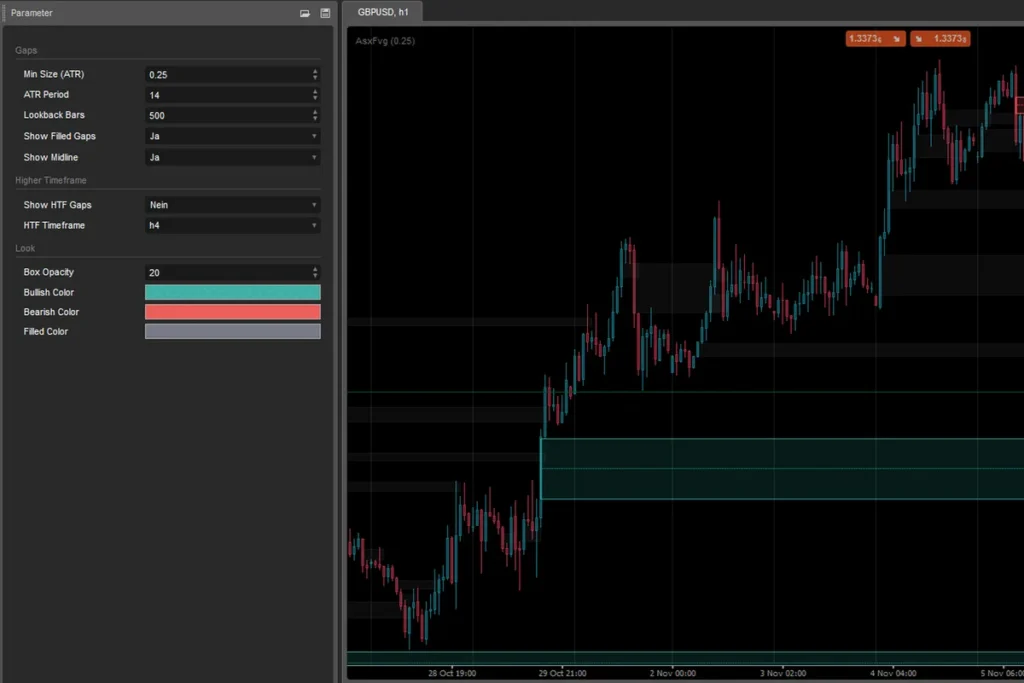
- Min Size (ATR): 0.25 (0 to 5)
- ATR Period: 14 (Wilder smoothing)
- Lookback Bars: 500 (20 to 5,000)
- Show Filled Gaps: on; Show Midline: on
- Show HTF Gaps: off; HTF Timeframe: H4 (must be higher than the chart timeframe)
- Box Opacity: 20 % (filled gaps use half of it)
- Colours: bullish teal (#26A69A), bearish red (#EF5350), filled grey (#787B86)
How to use it
- Add it to an intraday chart, for example M5 to H1, and read each open box as “price moved through here so fast that this range traded on one side only”.
- Raise Min Size (ATR) to 0.5 or more if you only want the larger gaps; lower it to 0 to see every gap.
- Turn on Show HTF Gaps to see where the H4 (or another higher timeframe) gaps sit while you work on a lower timeframe.
- How gaps form, how the ATR filter changes what you see and what our own fill statistics show is explained in our guide Fair Value Gaps in cTrader: How to Find, Filter and Trade Them.
Limitations
- A fair value gap is a pattern, not a prediction. In our own test on twelve months of 15-minute data, most gaps were filled again, but price also returned to random zones of the same size and distance about as often (details and numbers in the guide). Treat a gap as a place to watch, not as a reason to trade.
- The box of a gap starts at the middle candle, but the gap only exists once the third candle has closed. The indicator draws it from that moment on.
- Higher-timeframe gaps work on time-based charts (not on Renko, range or tick charts).
- Gaps depend on your broker’s prices. Two brokers can show slightly different gaps on the same symbol.
- The indicator has no alerts.
Platform & install
- Platform: cTrader Desktop 5.10 or newer (the .algo file is built with .NET 10, as cTrader 5.10 builds it)
- Type: overlay indicator
- Access rights: None (no full-access permission requested)
- Price: free and open source, no license key
- The download is a ZIP with AsxFvg.algo (ready to install) and AsxFvg.cs (the source code). On an older cTrader version, create a new indicator in cTrader Automate, paste AsxFvg.cs and build it there.
- Double-click AsxFvg.algo to install it (install guide), then add ASX FVG to any chart.
Important notes
ASX FVG is an analysis tool and does not place trades. Gaps show where price moved quickly in the past; they are not buy or sell signals. Trading leveraged products can lose you money quickly, so test any idea on a demo account first and use your own risk management.